

Key takeaways
- Define the exact mechanical position the security device needs to confirm before selecting a detector switch.
- Check the actuator, bracket and complete input circuit—not just the switch—when signals are missing or unstable.
- Test actual assemblies at both loose and tight tolerances, with the intended load and operating conditions.
A cover can be fully closed while the device still reports “open.” A latch may appear engaged, yet the input signal comes and goes. The switch is not necessarily defective: actuator alignment, mounting brackets and the control circuit can all affect the result.
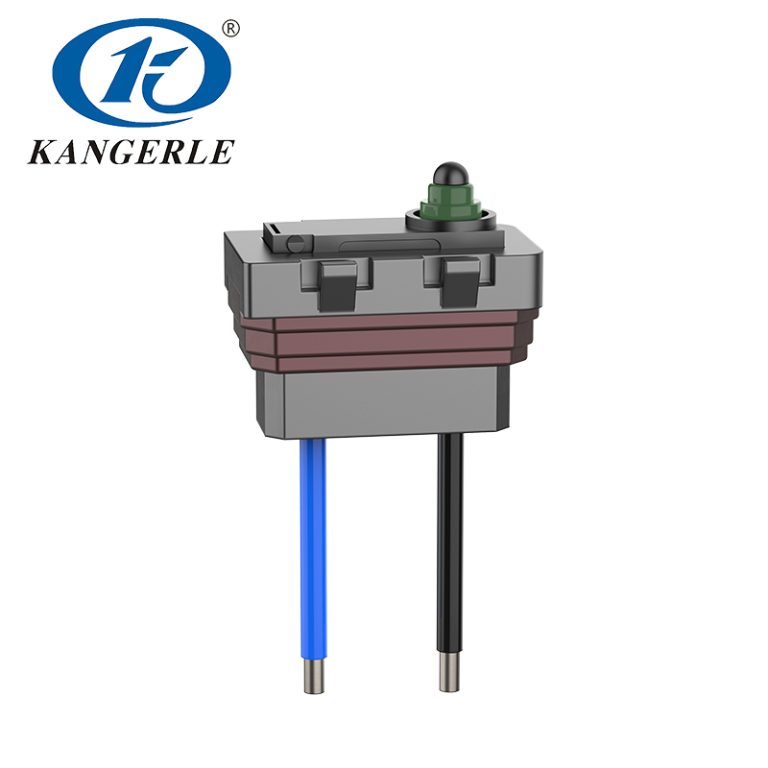
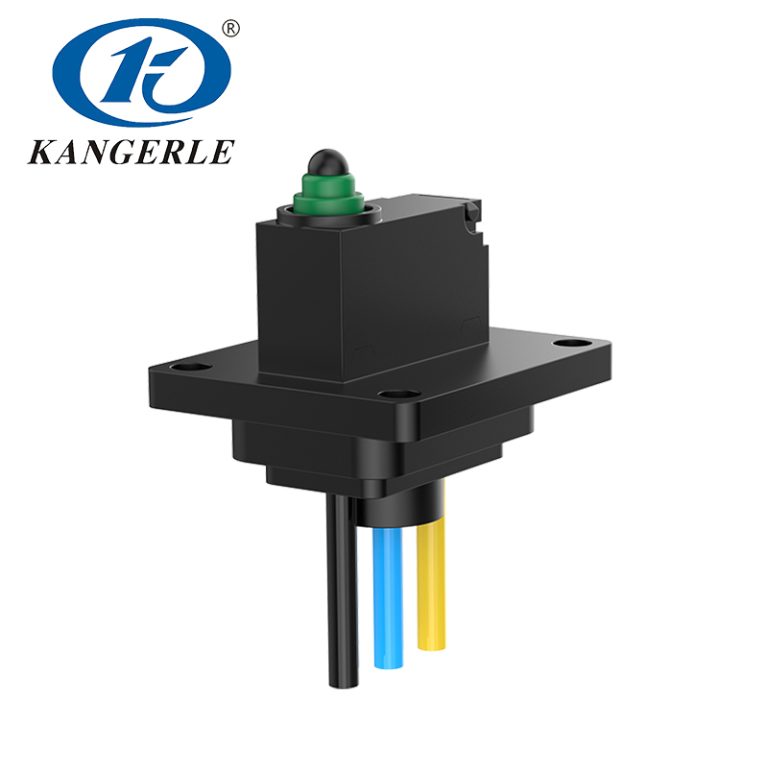
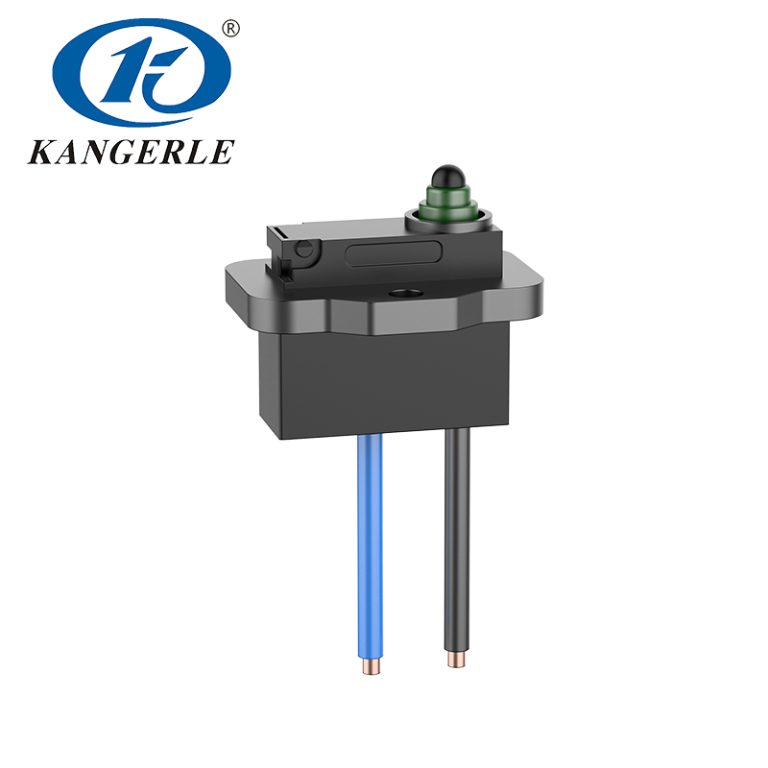
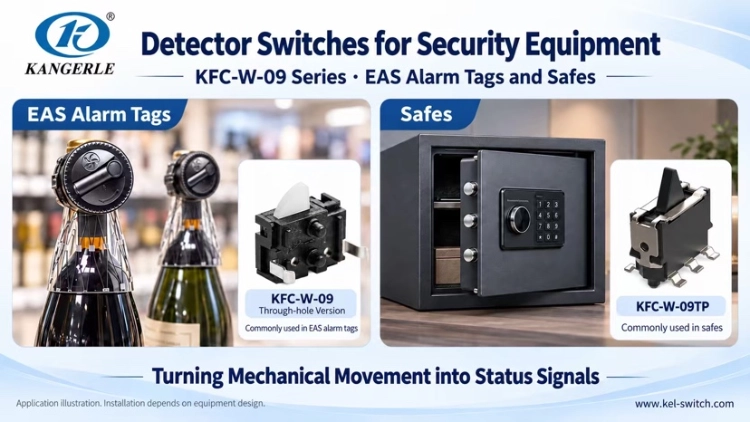
In security equipment, a detector switch commonly reports whether a cover, latch or other moving part has reached a specified position. KANGERLE KEL uses the KFC-W-09 pin-terminal version in EAS alarm tags and security hard tags, while the KFC-W-09TP is used in safe-deposit boxes and safes. These applications show why switch selection and mechanical design must be considered together.
Identify the position you need to detect
First, what the controller needs to know: Is cover open, latch fully engaged or a moving mechanism back in home position? That part causes the actuator to press or release, at which point the switch changes its state of contact and this is captured in a recording by the circuit. Timing matters. If the switch activates before a latch is 100% in, it can still read as closed.
A detector switch is not a motion sensor
A specific part is verified by a mechanical detector switch. A PIR or radar sensor sense movement/presence within a particular area. Both may find their way into one security system, both answer different questions and neither is interchangeable. They may both show up in one system of record, but they answer different questions and shouldn’t be compared.
KFC-W-09 in EAS alarm tags and security hard tags
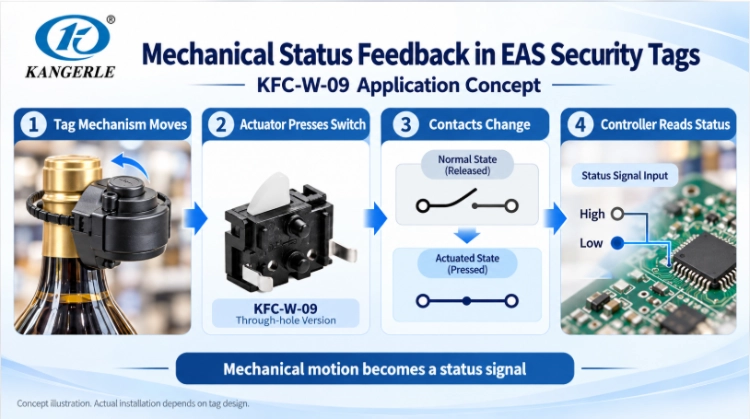
EAS alarm tags and hard tags fitted to retail goods use mechanical parts alongside electronic anti-theft circuits. The KFC-W-09 detector switch page covers the pin-terminal series considered here. Within a suitable tag design, the moving mechanism can operate the switch to report whether the tag has engaged, released or been disturbed. The exact state detected depends on the tag mechanism; radio identification and alarm functions are handled by other circuitry.
For evaluation, repeatedly engage, disengage and partly engage the mechanism. Check that the signal remains steady after latching and that the switch releases when the mechanism opens. Tight spaces make alignment and over-pressing especially important.
KFC-W-09TP in safes and safe-deposit boxes
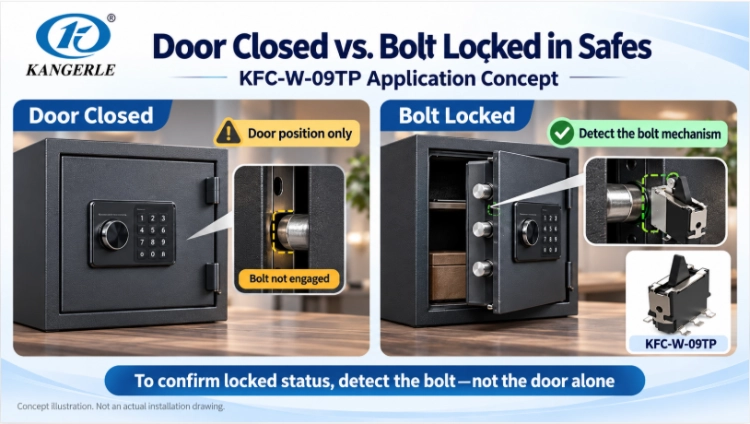
The KFC-W-09TP provides a mechanical-state signal to the control circuit. A designer may detect a door, locking bolt or other moving part. “Door shut” and “bolt fully locked” are not the same condition. If the system must verify locking, position the actuator against a mechanism that actually represents bolt engagement. This decision affects mounting direction, travel and wiring.
Reference specifications and related applications
The security application material lists the following reference configuration for KFC-W-09 and KFC-W-09TP: DC 30 V, 0.1 A; SPST-NO (normally open); operating force 50 ± 25 gf; operating temperature −10 to 60 °C; and electrical life of at least 50,000 operations. These are application references, not a substitute for current model-specific drawings and test conditions. Check terminal layout, dimensions and installation method separately for each part, and confirm contact suitability for very low-current inputs.
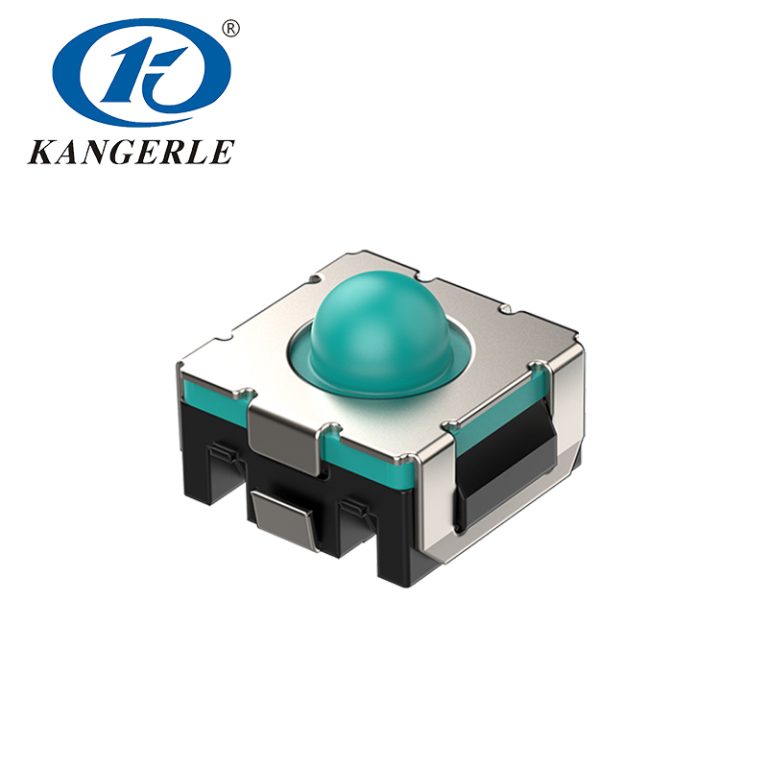
KANGERLE also lists the KFC-V-111 detector switch for fingerprint-lock mechanisms, KFC-V-206KT and KCD3-11L switches for carbon monoxide detector equipment, and the KEL-A002 push-button switch for access-control systems. Match each switch to its mechanical or user-control role; fingerprint recognition and gas detection rely on other modules. Explore the W-series detector-switch options or the wider KANGERLE detector-switch range when comparing form factors.
A closed cover but no signal? Inspect the assembly
Assembly and circuit review at a glance
| Area | What to check | Evidence to record |
| Detected state | Which exact position is being confirmed? | Required state and expected fault response |
| Actuator alignment | Does the moving part press in the correct direction? | Contact position and mounting drawing |
| Tolerance window | Does it switch when loose without overtravel when tight? | Minimum and maximum travel, stop position |
| Electrical input | Does the contact arrangement suit the real load? | Voltage, current, AC/DC and input trace |
| Environment and life | Will installation and cycling affect operation? | Temperature, exposure and endurance results |
Verify that cover or latch is actually moving the actuator. A switch that works on the bench will sometimes not work once it is installed because of off-center contact surface, side-loaded part and post closure mount shift. A bench-top switch may not perform as intended when mounted because the contact surface is asymmetrical, the part ends up bending sideways or moving center at closure.
Check alignment and the mounting bracket
Verify the pressing point and movement direction against the current drawing. A thin bracket can bend under the closing force, and loose screws can reduce useful actuator travel. Observe both bracket and switch while closing the actual mechanism.
Check both assembly extremes
At the loosest tolerance, a latch may stop short of the operating point. At the tightest, it may drive the actuator too far. Test representative assemblies at both extremes rather than judging one nominal prototype.
Allow enough travel without over-pressing
IInsufficient travel may prevent the switch from actuating, while excessive travel can overload or damage it. Record the position at which the electrical signal changes and the mechanism’s final stop position, then compare the available travel with the approved product drawing.
If the loose assembly misses actuation but the tight one over-presses, adjust the contact face, bracket or stop together. Operating force matters too: resistance from a small switch may affect the feel of a light lid or security tag. Test the switch in the real mechanism and confirm that it returns smoothly when released.
Stable signals depend on the contacts and circuit
Choose normally open or normally closed for the circuit
Normally open (NO) and normally closed (NC), in this context, refer to the contact state when it is not actuated. Equipment reports as “open” or “closed,” technically, depending on installation and firmware. Before wiring confirm the pinout for exact part. Negotiate what should happen, if a cable breaks or disconnected loose connector; only an NC circuit does not make the operation fault safe.
Check suitability for small control currents
State the actual voltage, current, AC or DC supply and load type. A low-current controller input is not equivalent to switching a lamp or relay. Do not rely only on the maximum rating; ask whether the selected contacts have a minimum recommended switching load.
Separate contact bounce from mechanical instability
A contact can briefly change state several times during switching. Loose brackets, marginal engagement or incomplete travel can also cause repeated transitions. Observe the electrical signal during slow, fast and partially engaged movements. Hardware or software debounce can filter short transitions, but excessive filtering delays real status changes and cannot repair a loose mechanism.
Evaluate life and protection in the real environment
A safe indoors, a retail anti-theft tag and equipment near an external entrance face different conditions. Record temperature, dust, moisture, vibration and cleaning methods. Check seams, actuator openings and cable entries as possible paths for contamination, even if the switch itself has a protection rating.
Estimate operating cycles across the expected service life, including maintenance. Mechanical life reflects cycling under specified conditions; electrical life also depends on the switched load. Compare test conditions as well as cycle counts. Long-term bracket loosening or latch binding can defeat an otherwise sound switch, so endurance testing should include the actual mechanism.
Prepare the information needed for sample selection
For a KFC-W-09 EAS tag design or a KFC-W-09TP safe application, send the following information with your inquiry:
- Detected position: cover, latch, locking bolt or another part, and the exact point to confirm.
- Mounting arrangement: available space, fixing method, drawings and direction of force.
- Actuation requirements: available travel, allowable operating force and mechanical stop.
- Circuit: required NO/NC behavior, terminals, voltage, current and type of load.
- Operating conditions: temperature, dust, moisture, vibration and expected cycles.
- Fault response: how the unit should behave when open, partly engaged or disconnected.
Installation drawings, prototype photographs or a brief video can help identify interference or alignment concerns before sampling.
Confirm reliability in the assembled prototype
Use production-like brackets and moving parts, connected to the actual controller input. Before the test, agree on what counts as a missed detection, false detection or unacceptable response delay.
- Verify operation, release and return at both loose and tight assembly tolerances.
- Close slowly and quickly; include partial latch engagement and modest bracket loading.
- Record missing signals, false signals, repeated transitions and controller response delay.
- Repeat checks after the planned cycling and environmental exposures.
Keep the part number, drawing revision, key dimensions and test conditions with the results. These records make design changes and alternate configurations easier to compare. For network-connected equipment, the NIST IoT cybersecurity program provides broader system-security context, not a qualification of the mechanical detector switch.
자주 묻는 질문
Does a higher switch life rating guarantee a more reliable device?
No. Alignment, mounting stability, actual electrical load and environment also matter. Verify the complete assembly.
Can the latch be finalized before choosing the detector switch?
It is better to design them together. Actuator dimensions, force and travel affect the latch and bracket geometry.
Can a detector switch automatically serve as a safety interlock?
No. Position sensing alone does not establish safety-interlock suitability or certification. Check the applicable component and system requirements separately.
Match the switch to the equipment, not just its datasheet
Reliable detection depends on the physical position, actuator travel, operating force, installation and electrical input working together. Confirm each against the actual mechanism before approving a switch.
Zhejiang Kangerle Electronics offers KFC-W-09, KFC-W-09TP and related security equipment switch solutions. Share your application, installation drawing and circuit requirements with 캉게를레 to discuss suitable samples and configuration checks. The KFC-W-09 product page is a starting point for verifying the exact part, not proof of approval in every application.